
Independent guide · Updated October 17, 2026
Make a vertical short from one still, one move and a music bed
This is a method you can follow, not a customer story with a view count attached. There is no invented creator and no invented result. The steps use the models in this studio. The pictures on the page are covers from this site’s library, not screenshots of a finished ad.
The job is a vertical clip you can hand to an editor: one subject, one action, one camera move, and a music file made separately. Captions, a voiceover and the final cut happen outside this studio. If you wanted those tools inside the generator, the ViewMax comparison says which product advertises them. This site is independent of Viewmax LLC and of everygen.ai.
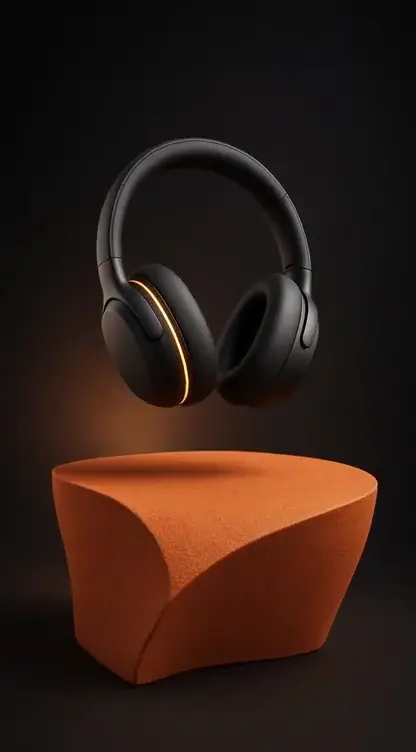
Write the shot before you pick a model
Choose one subject and one change. A bottle on wet stone, with a slow push in. A jacket on a chair, with the fabric lifting once. A storefront at dusk, with a single light passing. A short clip is a few seconds long. A second location, a costume change and a punchline will not sit cleanly inside one generation.
Write that sentence down. A shorter version becomes the image prompt. A slightly longer version becomes the video prompt. Keep the subject the same so you can tell whether a later change helped.
The video prompt guide has longer examples. Borrow one only when it matches the shot you already chose. The model guide is there when you need to compare inputs before you spend a generation.
Make the still
Open Create and choose Image. For a phone frame, pick a model that lists 9:16. GPT Image 2.0, GPT Image 2.5 and Nano Banana 2.1 do, and each lists 1K, 2K and 4K. Seedream 5.0 Pro and Qwen Image 3.0 also list 9:16. Seedream 5.0 Pro stops at 2K. Qwen Image 3.0 lists 1K and 2K. Start at the lower resolution while you are still deciding on the composition.
Describe the object, the surface and the light, and name the camera distance. Leave logos and tiny label text out unless you plan to read every letter. Generated type can look fine at a glance and fail when you actually read it.
If you already have a photograph you are allowed to use, pick a model that accepts a reference and upload a PNG, JPEG or WebP. The reference count depends on the model. Seedream 5.0 Pro accepts up to 10 in its generate mode. Qwen Image 3.0 accepts up to 3. A reference is a starting picture. It does not guarantee the output will match it. Keep the still you would actually animate. A busy frame makes a worse clip.

Add one motion
- Match the ratio
- Keep the duration short
- Name one camera move
- Watch the whole file
- Change one thing
Switch to Video. If the still is 9:16, choose a video model that offers 9:16. The ratio control is what the studio sends. Asking a 16:9 model to “make it vertical” in the prompt is a weaker bet.
A short duration is enough to see whether the action works. Grok Imagine Video 1.5 runs 6 to 15 seconds at 480p or 720p and can take image references. Kling 3.0 Turbo runs 3 to 15 seconds at 720p or 1080p from a starting image. Seedance 2.0 Mini runs 4 to 15 seconds at 480p or 720p, with an audio toggle and either mixed references or a first and last frame. Seedance 2.0 Standard reaches 4k on that same 4 to 15 second range. Wan 3.0 runs from 2 to 30 seconds at 480p, 720p or 1080p.
Use one camera instruction, such as a slow push in or a locked frame. When the file arrives, watch it through. Look at the edges of the product and the last second. Then change one thing. A second generation that rewrites the entire prompt is hard to compare with the first.
Seedance 2.5, which extends to 30 seconds at 480p, 720p or 1080p, appears in Create only when paid credits are turned on. If you do not see it, it is not on your current menu. Three older Seedance V1 variants and one Sora 2 option are paused. Hailuo 2.3 is a separate image-to-video option at 6 or 10 seconds and 768p or 1080p. Its catalog entry does not list a 9:16 control, so treat the reference shape as the frame. The quote beside Generate is the cost of the setup you are looking at. The video generator guide covers submit and download.

Put the music on a separate file
Choose Music and Suno. The version menu lists V4, V4.5, V4.5 Plus, V4.5 All, V5 and V5.5. Describe the tempo, the instruments, and whether you want a vocal. For a product clip, an instrumental bed is easier to cut against a voice you record later.
Listen to the whole track. A chorus that arrives too early, or a vocal you did not ask for, is a reason to revise the brief. Download the take you will actually use. This studio does not sync that track to the video. Your editor does.
Images, video and music draw on the same balance when credits are the currency. The price is shown before you submit. The free access guide describes the current allowance.
Vertical models in this catalog
The table is the set of video models whose catalog entry lists a 9:16 ratio, a duration and, where the catalog has one, a resolution. It was taken from this site’s model catalog on October 17, 2026. It is a menu of controls, not a ranking and not a promise that two models will interpret the same sentence the same way. Paused entries are left out. Seedance 2.5 is left out of the table because Create shows it only when paid credits are enabled. The live menu is the list you can run today.
Pixverse V6 is the odd row. Its mode, text, image, first and last frame, or fusion, changes which inputs the form accepts. MiniMax H3 is listed on its standard capability. Other MiniMax capabilities change the duration and the resolution. Veo 3.1 Fast and Veo 3.1 Quality list 9:16 and a fixed 8 seconds, and they do not list a separate pixel size.
| Model | Duration | Resolution | Input worth knowing |
|---|---|---|---|
| Grok Imagine Video 1.5 | 6–15 seconds | 480p, 720p | Prompt, up to 7 reference images |
| Kling 3.0 Turbo | 3–15 seconds | 720p, 1080p | Prompt and a starting image |
| Kling 3.0 | 3–15 seconds | 720p, 1080p, 4K | Prompt, a starting image and an end frame |
| Seedance 2.0 Mini | 4–15 seconds | 480p, 720p | References, or a first and last frame. Audio toggle. |
| Seedance 2.0 Fast | 4–15 seconds | 480p, 720p | References, or a first and last frame. Audio toggle. |
| Seedance 2.0 Standard | 4–15 seconds | 480p, 720p, 1080p, 4k | References, or a first and last frame. Audio toggle. |
| Wan 2.7 | 2–15 seconds | 720p, 1080p | Start and end frames, plus references |
| Wan 3.0 | 2–30 seconds, or auto | 480p, 720p, 1080p | Frames or references. Audio is available. |
| MiniMax H3 | 4–15 seconds | 768p, 2k | Standard capability. Other capabilities change these columns. |
| Gemini-Omni | 4, 6, 8 or 10 seconds | 720p, 1080p, 4k | Prompt and references. Ratios are 16:9 and 9:16. |
| Veo 3.1 Fast | 8 seconds | No separate pixel size listed | 16:9, 9:16 or auto. Up to 3 reference images. |
| Veo 3.1 Quality | 8 seconds | No separate pixel size listed | 16:9, 9:16 or auto. Starting image and end frame. |
| Pixverse V6 | 1–15 seconds | 360p, 540p, 720p, 1080p | Mode changes the inputs. 9:16 is listed. |
Before you publish the file
Watch the downloaded file, not the thumbnail. Check the ratio inside your editor. Add captions and a voice there. Confirm you can use the reference photo, and that any product claim in the clip is one you can stand behind. This studio does not clear likenesses, logos or music for commercial use.
A tutorial that still says ViewMax may be sending you to a different company. Read the comparison before you create an account or buy credits. The pricing page is the place to check what a plan on this site costs.
Questions while you are setting the shot up
Can I post this as a YouTube Short?
You can generate a 9:16 clip and download it. Captions, a recorded voice and the upload belong in your editor. The studio does not assemble the finished Short for you.
Which model should I start with?
The one whose inputs match the files you have. A still plus a starting-image model, or a sentence plus a text-led model. The table is a list of controls, not a winner.
Why is a model missing from Create?
It may be paused. Seedance 2.5 is hidden until paid credits are enabled. The names in the Create menu are the ones you can run.
Do the video and the music share a balance?
Yes, when credits are the currency. The price for the current settings is shown before you submit. The free access guide describes the allowance.